
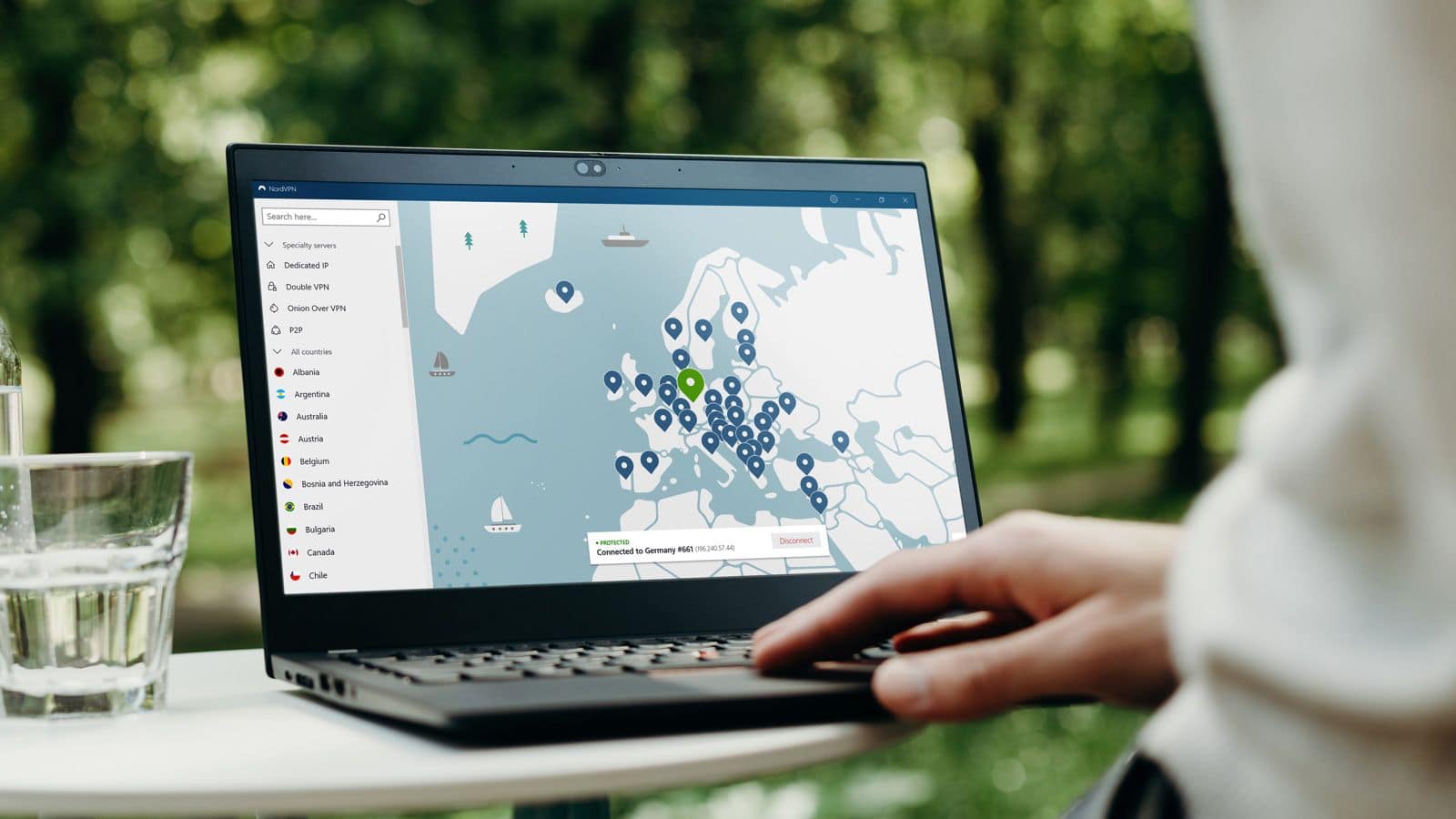
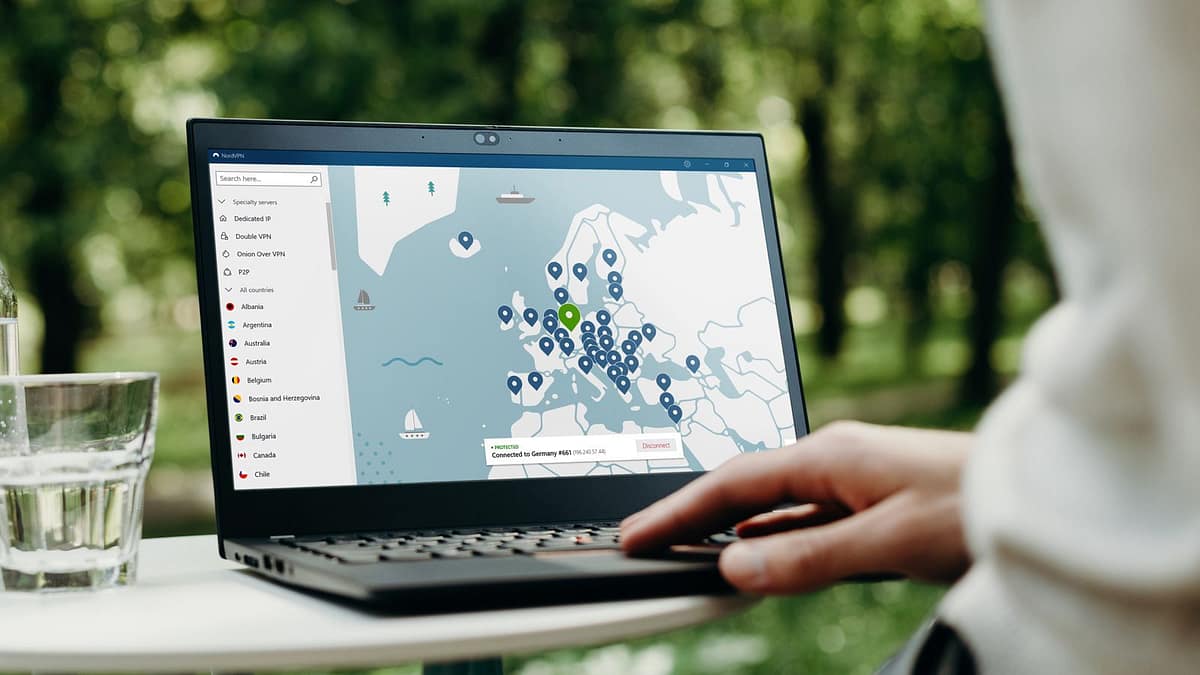
To create this list of VPNs, I’ve chosen VPNs that are independently audited (important), have good customer service, and have extensive network around the globe. I also research actual customer feedback posted in online forums. At the end of this post, I also list VPN providers I do not recommend. (and why).
Quick Picks (If You’re In A Hurry)
- Best privacy‑first choice: Proton VPN
- Best overall for most people: NordVPN
- Best budget + torrenting: Private Internet Access (PIA)
What I Look For In A VPN
When I recommend a VPN, I care about:
- Jurisdiction: Where the company is legally based and which governments can demand data.
- Logging: Whether the provider collects activity logs, connection logs, or metadata that could identify you.
- Independent audits: Whether security and no‑logs claims have been tested by outside auditors.
- Torrenting support: Whether BitTorrent is allowed and, ideally, supported with port forwarding.
- Apps and transparency: Open‑source clients, leak protection, and clear behavior on DNS and IPv6.
I do not recommend free VPNs for long‑term use. Most are either heavily limited, log‑heavy, or rely on questionable monetization.
NordVPN – Best Overall For 2026
NordVPN is a good all‑round VPN for most users. It’s fast, widely supported, and known for streaming support and strong security features.
NordVPN has now passed six separate no‑logs assessments by third‑party auditors, confirming its systems are built not to store browsing activity, IPs, or traffic metadata.
NordVPN has extensive installations guides. They offer step-by-step instructions for any operating system and version. From Windows 10 and Windows 8 to DD-WRT and Raspberry Pi — virtually every platform is covered. There is a special guide for configuring the service to circumvent the Great Firewall in China.
Why I like it
- Very fast network, good for streaming and large downloads.
- Strong security features like kill switch, Double VPN, and Tor over VPN.
- Independently audited no‑logs policy.
- Works on all major platforms, including routers and streaming devices.
Limitations
- Apps are quite feature‑rich, which can feel heavy if you want something ultra‑minimal.
- Some advanced features are only available on specific platforms.
Best for: Users who want one VPN for almost everything: streaming, travel, and general privacy.
Proton VPN – Best For Privacy Purists
Proton VPN is built by the Proton team in Switzerland, a jurisdiction with strong privacy laws and no mandatory data retention. For Greycoder readers, the key point is their strict no‑logs policy, which has passed multiple independent audits confirming they don’t store activity or connection metadata that could de-anonymize you.
All apps are open source, so researchers can inspect the code, and there’s a bug bounty program to surface flaws quickly. Features like Secure Core (traffic routed through hardened servers in privacy‑friendly countries) and NetShield (DNS‑level ad/tracker blocking) give you a more hardened setup than most mainstream VPNs.
Why I like it
- Based in Switzerland, with strong privacy laws.
- Open‑source apps with regular independent security audits.
- Strong support for advanced features like Secure Core and Tor over VPN.
- Good free tier for light, occasional use, without selling your data.
Limitations
- Speeds can be slower than NordVPN on some routes.
- Streaming support is good but not as friction-less as the most streaming‑focused VPNs.
Best for: People who prioritize jurisdiction, transparency, and open‑source software over raw speed.
Private Internet Access (PIA) – Best Budget + Torrenting
Private Internet Access offers a good balance of price, flexibility, and torrent support, especially if you want port forwarding.
Why I like it
- Very affordable long‑term plans.
- Supports port forwarding on selected servers, useful for torrenting and seedboxes.
- Open‑source apps and court‑tested no‑logs claims.
- Large server network, including many locations in privacy‑friendly countries.
Limitations
- Interface is slightly more technical than some “one‑click” VPNs.
- Some streaming services block PIA more aggressively than NordVPN.
Best for: Users who torrent or use seedboxes, and anyone who wants a flexible, budget‑friendly VPN with decent privacy.
Honorable Mentions
Depending on your needs, you might also consider:
- Mullvad: Excellent privacy model with anonymous account numbers and cash payments, but fewer locations and more technical.
- IVPN: Strong privacy stance and transparent policies, but more expensive with a smaller network.
These are excellent options if you care more about privacy and less about streaming or niche locations.
Do I still need a VPN in 2026?
Yes, if you care about:
- Hiding your browsing from your Internet Service Provider (ISP).
- Reducing tracking on public Wi‑Fi networks.
- Accessing content while traveling without exposing your real IP address.
A VPN is not a magic cloak, but it’s still a useful privacy and security tool.
Which country is best for VPN servers?
For privacy, look for:
- Countries with strong privacy laws and no mandatory data retention for VPNs.
- Providers that clearly explain how they handle legal requests and logging.
In practice, the provider’s policies, audits, and technical setup matter more than the country label on a server.
Summary of Recommendations
There is no single perfect VPN for everyone. The right choice depends on what you actually do online: streaming, torrenting, remote work, or travel.
If you want a simple answer:
- Start with NordVPN if you want one service for everything.
- Use Proton VPN if you value jurisdiction and open‑source apps most.
- Choose Private Internet Access if you want affordable torrent‑friendly features like port forwarding.
VPNs That I Do Not Recommend
I don’t recommend these VPN service providers:
- AirVPN: Poor customer service.
- PureVPN: This provider was found logging users; see this article.
- ibVPN: Does not respond to email requests.
- These VPNs have DNS or WebRTC leaks: Hoxx VPN, Hola, VPN.ht, SecureVPN, DotVPN, Speedify, Betternet (free version), Ivacy, Touch VPN, Zenmate, Ace VPN, AzireVPN, BTGuard, Ra4w VPN, VPN Gate
HolaVPN
Shady company; your computer becomes part of a botnet when using their VPN. See details here and here.
VyprVPN
They ask for your bank info during registration. I also did not enjoy my interactions with their customer service representatives. They declined comments about privacy and lock your account immediately if you get a DMCA notice.
EarthVPN
The service was recently hacked and apparently keeps logs.
BTGuard
Numerous reports of slow connection speeds and poor customer service.
StrongVPN
Fairly expensive, confusing sign-up options do not allow P2P, and can match an external IP address to their subscribers. They limit the number of times you can change servers and change your username and password each time you do.
Witopia
They don’t support torrenting. Their network can be unreliable. They often don’t respond to questions.
Hotspot Shield
The software constantly generates banner ads and pop-up windows, and it forcibly changes your search engine to Bing. Also, many sites will still be blocked using Hotspot Shield, and the company makes money by tracking your online activities and reselling this information to third parties. They state on their privacy policy page (http://www.anchorfree.com/privacy.html):
AnchorFree allows other companies, called third-party ad servers or ad networks, to serve advertisements within the Hotspot Shield These third-party ad servers or ad networks use technology to send, directly to your browser, the advertisements and links that appear on the Hotspot Shield. They automatically receive the virtual IP Address assigned by AnchorFree when this happens. They may also use other technologies (such as cookies, javascript, or web beacons) to measure the effectiveness of their advertisements and to personalize their advertising content. AnchorFree’s Hotspot Shield Privacy Notice does not apply to, and we cannot control the activities of, such other advertisers or other web sites visited by Users.
VPNBook
It keeps logs and doesn’t support torrenting.
IPredator
Customer service is fairly slow and minimal. Some (very limited) logs are kept; they have some slow speeds and limited servers. It also costs $97.76
StrongVPN
Keeps logs. They say they support P2P but shut down the account as soon as they receive a DMCA notice.
VpnTunnel
Awful customer service and constant disconnection issues.
TorGuard
Requires personal info when signing up and doesn’t respond to refund requests.
Private Tunnel
It only supports OpenVPN, a limited number of servers.







📕一次的人
That was very interesting.
I pay a visit every day some blogs and blogs to read articles or reviews, except this blog provides feature based writing.
Could u describe ur issue with airvpn ?
I have complete different experiences with the customer service and thier community
from myself i had bad experience with ovpn.
best regards
Do you have any thoughts about PIA’s acquisition by Kape, formerly known as Crossrider? Their new parent company has had some privacy criticisms, and have created fake “VPN review” sites to promote their own apps.
I’ve recently started a blog, the info you provide on this site has helped me greatly. Thanks for all of your time & work. “A physicist is an atom’s way of knowing about atoms.” by George Wald.
I recommend that PureVPN be left off the “Do Not Recommend VPN” list. After using only a few hours, I cancelled their $7.95/month subscription. When logging in, they use old DOS text menu software that is confusing and inefficient. Every time you change servers, you have to type your username and password, which is terribly slow
Doesn’t that mean it should be on the “Do Not Recommend” list?
PureVPN is offering 88% off on early black Friday at just $1.33 per month with multiple features such as 6500+ servers in more than 98 locations, split tunnelling, internet kill switch, no-log privacy, 10 multi logins, 24/7 customer support and much more.
Seen that HideMyAss is much more complete than VpnTunnel, and are now the same price.
I am going to review the options you suggested. You are a great instructor. I like your post. Thanks for sharing your knowledge and experience.
Greetings,
I use Express VPN and it’s quite good expensive but very reliable I have PIA has a backup for some stuff like this site thx
I agree 100% with this vpn review – especially the part when he notes “Airvpn – Poor Customer Service”
Those people are a nightmare! I think their whole show is run by the Mafia!
NOT entirely tongue in cheek!
What you can advise for Netflix US currently?
Surfshark (budget) and ExpressVPN (full service) both work with Netflix in the USA.
So I am struggling with my finances right now, but I really do care for my privacy. I have found Atlas VPN, its a free provider and does everything a paid one would do. I have not seen any reviews on it though, any professional opinions on it?
There looks to be a minor error. VPN.AC is listed as having servers in 9 countries in the review text, but in the summary it says 21 countries. I suspect this is just a copy/paste error.
What a great list. Thank-you!
Thanks. VPN companies are always increasing their server number — looks like I update the summary but not the article text.
great list.your work is EXCELLENT.
request,try and test
tigerVPN.com next round of testing.
small company,used for a few years, like a toy.
it works,not super fast,a few questions of logs,but no dnsleaks,they fixed some bugs, they are not using ca.key, only user’pass on oVpn,
but there marketing tiger is cute.
currious how they would rate,by a professional test.
as anyone that knows anything about a TUNNEL, once its open ONE WAY,its also open the OTHER way.
but thats, a complicated discussion to an open forum.
It says, “The ExpressVPN links on this page will give you three months free service.”
Umm. No, they don’t.
The three months discount is available once you reach the order page.
It would be great if you could write an article about Proxy providers that provide proxies not for anonimity/security online but for web-scraping and SEO for example Smartproxy, Luminati or Microleaves.
A couple of thoughts after reading the article and the comments:
Re: NordVPN and Tesonet. Restore Privacy has a great article on it: https://restoreprivacy.com/lawsuit-names-nordvpn-tesonet/ It also has a very interesting comments section if you want to know more.
I decided against Nord for several reasons: Slow connections, No split tunneling, No Linux app, Had to make sure I connected to different servers for each different device.
Re: PIA – I was a happy user for most of 2 years. Last few months have been rough. Speed issues, <3.9M download. Support for those issues non-existent (I'm still waiting for tickets opened days ago). Yes they're cheap. Yes they mostly work.
I'm currently looking into VPN.AC and IVACY.
Just wanted to throw in my 2 cents about the complains against PIA. I’ve been using them for 4 years now. First on windows, then through OpenVPN on iOS, then their official iOS app, and now their Chrome extension. I used it a TON. I mean A TON. It’s connected almost 24/7. And I’ve never had an DNS leak or my real IP address shown. People complaining about this kind of thing definitely need to look into the numerous resources on the PIA support page and the wealth of knowledge easily found all over the internet to make VPNs even safer. First disable IPv6 in Windows network adapter settings. Then use a good DNS provider like Quad 9 or 1.1.1.1 (even if it’s for everyday non-VPN browsing). Then enable all the proper settings in the PIA app. Since I’m on Windows I can’t speak for Mac users but it’s incredibly simple to find and tweak the settings of their desktop app. The desktop app even allows you to use PIA’s DNS servers or a custom one! Quick side note: it also now lets you use LAN traffic while connected so devices in your house shouldn’t have problems talking to one another (like Plex used to for me). Next turn on killswitch. Finally use the recommended settings of AES-128 GCM as it’s much safer and faster than a CBC encryption. For the price and the feature list, PIA is absolutely incredible. And if you think I’m some sort of marking guy who works for them – use whatever VPN you want I could care less. I just wanted to clear up the (suspiciously similar worded) complaints against this service that’s proven itself time and time again for me
Could you comment on BolehVPN?
Been using their services for awhile now. It has been serving really good.
Great list! However, I wonder what you think of Windscribe VPN? I saw they are offering a lifetime subscription and I’m thinking of grabbing one for their Windflix service.
I need a VPN focused almost entirely on speed for a UK IP. Not bothered about anonymity etc, just want something cheap and speedy. Any suggestions????
PIA would work for you.
If you have not yet found the perfect vpn for you, then I recommend trying VeePn. It gives full anonymity, there are no problems with speed. You can use it in any country and in the region.
Good read, thanks, I want to share my opinion on a new VPN that is not on your list nor mentioned in the commentaries, – Surfshark VPN. About two months ago due to various scandals, some outlined in your article, some in commentaries, that major VPN players were going through I decided to look for a new reliable provider. I considered VPN hub, Verizon’s safe wifi VPN, but dropped both of them, the latter because of relations to McAfee and the former, well, just didn’t feel like trusting a commercial site for VPN purposes. On the other hand, there were several things I liked about Surfshark VPN so I’ll outline the pros and cons.
On their website, they advertise unlimited device support, meaning one account can be used for work, home, mobile, even your friends can set it up on their devices. I don’t think that any other VPN provides that, but I might be wrong. There’s a drawback though, the software lacks Linux and macOS clients, so it has to be set up manually. After setting it up I tested speeds and didn’t notice any significant drop, guess that’s because their userbase is still growing and there’s little load on their servers, which is nice. Last but not least, they are based in the British Virgin Islands, a jurisdiction that has no data-retention laws and is outside of 14-eyes countries, and that’s a strong argument to back-up their no logs policies. To sum all this up I think it’s an ambitious new VPN that has a lot to offer, will follow closely the development process. Anybody here heard of them or used their services? Any feedback would be much appreciated.
Do you have any recommendations on mobile-only VPN (e.g., through iOS or Android apps)? My current VPN does not have its own dedicated app for my iPad/iPhone — instead they have downloadable configurations that can be used with the Open VPN app. However, with the recent update to iOS 12 earlier this week, the Open VPN app is no longer compatible with the operating system.
ExpressVPN and most of the other VPN providers I recommend have reliable mobile apps.
Can you comment on Proton VPN
I haven’t tested ProtonVPN. However, I see people calling the service into question, for example this discussion thread: https://news.ycombinator.com/item?id=17258203.
Personally, I’m not impressed by the people who run NordVPN. It seems like a poorly run company with questionable customer support.
No matter what anyone says. I have been using PureVPN for 2-years now and it’s been working great for me.
Thanks for the reviews. Overall reflective of my own experiences with some of the same vpns. However, I’d like to offer some feedback re: PIA. I’ve been a long time PIA subscriber. They were a good value with fast servers and okay support when I first signed up several years ago. But in the last two years they started going down hill, and in recent months in particular it’s been an utter fiasco. Buggy software with unreliable kill switch. DNS leaks. Mac app takes down your firewall (on purpose). Terrible if not non-existent support that gets worse by the day. Always the same excuse of a “temporary backlog” but in two years they’ve never caught up on the backlog. Hundreds upon hundreds of customer complaints posted on their forums and reddit channel about support tickets never being responded to, including requests for refunds on the so-called money back guarantee. PIA has gone from a good vpn to one of the worst, much of it probably due to poorly managed growth. Way too much money spent on marketing and none on hiring new support people to accommodate all the new customers. Company morale appears very low as evidenced by all the competent support people having quit and those being replaced by ignorant ones. On top of everything else they recently appointed Mark Karpeles as their CTO, the same Mark Karpeles of Mt. Gox fame who “lost” $480 million of their customers’ bitcoins, while at the same time $2.3 million mysteriously materialized in his personal bitcoin wallet. Karpeles is under arrest and awaiting trial in Japan for fraud and embezzlement. Even if he’s ultimately acquitted it’s hard to reconcile how PIA could appoint such a bungler (if not a con artist) to be in charge of their security when he presided over one of the biggest online security breaches in history.
Thanks for the comment. I’ll reassess my recommendation of Private Internet Access.
I wish you would review the Aloha VPN app for iPad & tell me what you think? I have been using it for a while now & it seems to be working great, I’m thinking about going to the paid version. But one thing concerns me – is that sometimes it ask for my iPad’s device id to configure the vpn connection. Would really appreciate your review.
Thanks,
Hi there,
I have been using ibVPN on my laptop.Getting great speed & support from them.I found another great vpn provider which is called NordVPN.Yeap! right now,I’m very much interested to try them out.could you please tell me,is it safe to use nordvpn?
Great vpn software list 🙂
Keep it up.Good job man
I don’t recommend NordVPN, because they have awful customer service.
Speaking of which ones you recommend, how about Kaspersky’s VPN, or the built in one in the Opera browser? Do you have any info on those ones? Thank you 🙂
Nord VPN – their privacy policy:
NordVPN.com customer data
E-mail address. We ask for your username and password as part of your registration. That ensures that we can communicate with you when we have any exciting announcements to make, service updates to advise or errors to report.
NordVPN.com customer data (from their privacy policy)
E-mail address. We ask for your username and password as part of your registration. That ensures that we can communicate with you when we have any exciting announcements to make, service updates to advise or errors to report.
Nice article
Nice list. It comes with good information such as VPNs with free trials and for how long. Free trials is a way for us subs to figure out if a certain provider is worth paying for or not. I had the 7-day trial from http://www.nicvpn.com and it was great.
We use the free cloud based browser https://getcocoon.com and it works well. There is only a desktop version at the moment though (iOS coming soon I think) but has a bunch of added security/privacy built in if that what you are looking for too.
To the author:
I submit information to you regarding future article of VPN. It describes The five eyes, nine eyes and the fourteen eyes, these are ordered from greatest surveilance to least surveilence. These countries are best avoided to use services from especially vpn. Also included on the page are recommended vpns located in safe countries that have a no log policy.
” privacytools io” also probably the extensive data sheet available for over 100 vpn is located here “thatoneprivacysite vpn-comparison-chart”
Your efforts are appreciated and this is only suggested in case you find it useful and no problem if you decide to delete the comment or links.
Thank you for the great service to the net community!
In my recommendation, the best VPN service I’ve used for torrenting is Express VPN. The VPN connection is stable, and Express VPN offers both paid and free trial services. Besides, Express VPN has launched VPN for Windows, Mac, Android, and iOS. You may visit its official website for more information.
I use IPvanish, they keep no logs and does exactly what it says. I would recommend trying it and if you aren’t happy it’s easy to cancel within 7 days
I have tried a few VPN’s championed by the GreyCoder. My favorites, in current use in a very difficult country, are ExpressVPN and VPN.ac. Both have excellent server choice, high reliability, and great customer service. Express’ strong points are speed, excellent UI and the auto feature which halts all outgoing connection if it detects a dropped VPN, and then auto reconnects. VPN.AC is generally a bit slower, but has been 100% reliable and my feeling is that it’s more secure for a U.S. resident. It also includes a great feature for Firefox – a Proxy extension with a connect button in the Firefox toolbar, useful for quick tasks not requiring serious anonymity/encryption. You can run the Proxy and VPN simultaneously for added security.
Both install/uninstall easily with no drama. And one more thing – ExpressVPN even works on my Windows Phone!
Private Internet Access didn’t respond to my customer service requests regarding slow speeds and disconnections.
They didn’t answer your customer support ticket?
I am an Astrill user and so far their service is good hence I cannot really say if their customer service is that bad. I haven’t had a problem with them hence I never needed their number 😉
PureVPN is also a best option.
You can check out their protocols that provide extra layer of security and anonymity
PureVPN Protocols
PPTP
SSTP
OpenVPN
Socks5 Proxy
OpenWeb
L2TP over IPSec
Just confirm their speed by using trial and they offer 7 days money back guarantee so you can easily go ahead with it.
after reading some positive review I purchased a pureVPN two years service but I am very disappointed about the service, difficult connections (usually 8 or more attempts are required), no possibility to select the exact server location (there is a random server per country) etc.
Expressvpn best vpn service on the world
what about VPNs offering lifetime subscriptions? Can they be trusted?
Do you know of any that works well with popcorn time?
Can you please make a list of the best VPN services that don’t keep logs?
Thank you
We are about to launch a comprehensive VPN search tool. For now, you can check out the VPNs listed at the top of the page under the heading “VPNs For Privacy” — these providers have minimal logs.
Note that every VPN provider does some logging, because they need to stop network abuse.
You just help me out. I was looking to find some help to find out best VPN providers. Thanks for sharing.
How are the free Firefox add-ons like HOXX?
I generally advise people to avoid any free VPN offers, because they tend to be run by untrustworthy companies.
i am use and recommend Expressvpn … it’s best vpn service for me !
I agree 100%. I’ve been using ExpressVPN since May 2015 and renew my subscription every 6 months. On ExpressVPN am talking from my experience; they have very fast servers and excellent service, live online chat support that responds very quickly. They can also unblock Hulu and BBC iPlayer.
PIA does not unblock Netflix, and offered no help when I asked customer support. I’m in Sweden and need to unblock US Netflix, any suggestions?
These are my recommend VPNs for unblock Netflix:
IPVanish (USA)
UnblockUS (based in USA — Smart DNS)
(See links in the article above)
PIA is no good. Used their services and had DNS leaks. My sessions would drop for no apparent reason and exposed my real IP. No longer used their services.
Your website has been tremendously helpful. I like you to know that I have used PIA and have had DNS leaks and my connection dropped on many occasion for no apparent reason exposing my real IP. I no longer used their service. Thought you should know since you recommend their services quite a bit.
Hi there, simply become alert to your weblog via Google, and located that it is truly informative. I am going to watch out for brussels. I’ll appreciate in the event you proceed this in future. A lot of people shall be benefited out of your writing. Cheers!
“TorGuard: Requires your personal info when signing up, doesn’t respond to request for refunds.”
Not only that, but if you have to do a chargeback because of a gateway error resulting in a double charge, which they agree to in a ticket, they simply wipe your account and stop responding.
STAY AWAY.
It is hard to tell which one is the best, but as far as I know the most famous are ExpressVPN and Private Internet Access. They provide good anonymity results after testing. As for me, I chose Private Internet Access.But you can check the efficiency of any VPN for free, for example here at whats my ip https://2ip.io/ and make your own decision.
AirVPN is by far one of the best. What you want in a provider is: honesty, consistency & transparency. Because no matter how good the technology is, it won’t matter, if the provider is dishonest or has poor practices.
By the way, I forgot to add that it’s very easy to see which ones have poor practices. So it’s not squarely aimed at PIA alone. Firstly, find out what you want. Do you want a “netflix VPN” or do you want real security. If it’s more for netflix, then expressVPN will likely be okay. If it’s real security, you need to look at which technologies are offered and how transparent the company is. Do they, for instance, offer PPTP in addition to OpenVPN? Because PPTP is not secure, while OpenVPN is. Do they state in their privacy policies that they collect data? If so, how is it handled and how much? Etc. PIA should be excluded by definition of being in the us. Don’t use an american VPN. It’s just not very smart, in a snowden era.
absolutely agree with you about the not-recommended VPN
Very comprehensive information about all the VPN service providers undoubtedly ExpressVPN is the best and most demanded VPN services worldwide.
I recommend TorrentsVPN.
http://www.torrentsvpn.com/
NordVPN no longer working with Netflix US. I’m in the US and need it to bypass my ISP’s throttling, which seems to be only done on YouTube and Netflix as far as I can tell. NordVPN tells me they are working very hard to restore the service and that they do NOT agree with Netflix’s stance, especially for people like myself who are within proper region. So for me I consider it a Netflix outage, and if I call Netflix and complain, they literally get angry and tell you to take a hike if you do not like it. I used to like Netflix, now I hate them and will NOT ever recommend them to anyone.
I’ve tried most of VPNs you mentioned above, but I stick only to HIDE-MY-IP now. They have fresh new proxies with new countries available every month. Great service for a cheap price.
Hey GreyOne
have you looked at anonvpn.io, they claim no logging and no personal checks of any kind
Hi Greyone
is the only reason Airvpn don’t feature in your top lists the price?
they are still a top choice for security and privacy?
I’m seriously shocked that AirVPN is not only missing from this entire article, but for some reason isn’t one of the very top choices.
I don’t know how anyone could recommend PIA (at all), let alone without even mentioning the best, fastest, and most privacy-vigilant providers such as AirVPN, PureVPN, Cotse, etc…
If it is capable for iran and android please let me install it.thanks
Do you recommend to install this as vpn for iran?thanks
What is your opinion on AVAST Secureline VPN can they be trusted? Do they keep logs?
A vpn do not make you anonymous, your isp and vpn provider know where you connect from. I think vps providers use the anonymity argument too much, it’s faulty. If you pay by giftcard and never connect to vpn from home, you have some anonymity. If government officials are knocking on their door, I bet you are in trouble, not them. Beware, governments can ask for logging in advance without your knowledge, so much for no-log-policy. All said, for privacy a vpn is king.
Why don’t you recommend CyberGhost? Slowness? Do they keep logs? I thought, as they are based in Rumania, they would offer more security to US enforcement laws.
Please comment, Thanks
I’m not a fan of CyberGhost. Their subscription plans are confusing, they require personal information when signing up and there’s no way to pay anonymously. They don’t allow torrents too.
If you want a provider outside the USA, I’d recommend these ones:
VPN.AC (based in Romania)
Very informative article. Thank you for your research and sharing this into. I have been using Betternet VPN service for some time. They are FREE and require no personal information for signing up. They do claim to use browsing data for target ads. What are your thoughts on their ability to keep us safe from the “big brother”?
Thanks for all the great input. I am using PIA and have a strong dislike for them. My main need for a VPN is to view BBC Iplayer which has become hit and miss with PIA. I feel their attitude is arrogant with a,” don’t care “, policy. Their software and account accessibility is awkward. I am going to take your advice and give Nord a try.
Hmmm, I have been reading a lot of reviews of late searching for the best vpn. I am currently with PIA and have been for over 2 years and while the dependability has been great, after a buggy set up, what few problems I have had were handled by customer support with a less (much less) than desirable rating. The few problems I have experienced has always been responded to with a request for me to uninstall and reinstall the software. Eeeech,,,, Sorry but after hours of manual set up (cuz there auto set up sucks and had nothing but problems with it) ( I chose the open vpn gui to install manually) I finally had a dependable working system (more due to my own efforts than PIA).
Case in point with only facts. My latest problem was simply I could not exit open vpn to shut down. Connecting was great as normal. Normally I would just click on the icon, the pop up window would appear and I would click exit. Suddenly clicking the icon would do nothing and in order to exit I would have to reboot the computer. Contact tech support. Tech: what OS do you have? Me: Win 7 Tech: what version of vpn software do you have Me: Not sure been a while since I checked, can you tell me where to check the version number? Tech: You need to follow these directions to uninstall and reinstall the software!
After the long pauses between the techs responses I am left to conclude only one of two possibilities, either he/she was double tasking with another’s problem at the same time or he/she was reading a cheat sheet that told him something to the effect of, “If you don’t know what will fix the problem tell them to uninstall and reinstall the software and give them this link for the instructions”
Bottom line is good customer support is more than someone typing on live chat. Why do none of these reviews list live support as a consideration, especially live voice tech support with a truly knowledgeable tech support professional?
MDH
Simple. Live chat is unrealistic, if you want quality service. You can’t expect a support guy to check out your problem in-depth while having to talk with you. In addition, that would likely mean they have to outsource the support to a 3rd party, meaning there’s no control over data. Aka a privacy risk.
I use HideIPVPN https://www.hideipvpn.com/ since 2008 – no issues.
Love that fact that they sister site http://hideipvpn.pl/ brings a lot of cool info of Polish VPN users!
PIA is a class act. Cheap, reliable, and I trust them. I sign up by the year.
I’ve tried others. Trust.zone and Shadeyou are slow.
Ivacy is the worst I’ve tried. Terrible customer service and communications. The only good thing is decent speeds and many servers around the country. Ivacy will leak dns so its imperative to change dns servers to something else. I use PIA’s dns servers system wide.
hello. i have been using pia for the last 7 months with no real problems. i have one pc that is mostly used for p2p and it works great. i download a lot so i love not worrying about dcma. i keep it logged on to pia 24/7. i also use plex to stream to my tv’s and had no issues with that with pia. i have used the mobile app on my samsung s5, but i only use it when on a public access. i feel it is totally worth the price for piece of mind. as for the one time i had trouble connecting , i just uninstalled it and then reinstalled. no need to contact customer support.
Listen to some of the remarks made here concerning PureVPN. These guys are operating is a way that I believe will be their undoing. I was happy because the annual price was only $44.00 a year which is very competitive. Their speeds after 30 days dropped off the map so I was upset and called Pure. They informed me that there were other add-ons that I did not have which would speed my connection and give me more security. Those add-ons cost in the ballpark of $150.00 for a year. Then I asked only what a couple of the other services would cost. Those were a fixed IP address and the other was a NAT Firewall. I declined both because I was already pushing $200.00 annually. They really put on the hard sell but I only wanted to know the cost and declined both services. A month later when looking at my account I see that those services which I only asked for quotes on, had been charged to my credit card. I was irate and contacted them and initially told they could do nothing about it. What? Say that again? That was it for me. I contacted Amex told them what these guys were doing and they did a charge-back against the vendor. They also filed a complaint on my behalf. With reputable companies like Private Internet Access (I have since signed with them) who never attempt to sell you a hobbled service with expensive add-ons as the only way to attain the speeds that I had during the trial period. Since then I found out that these guys have been slammed for unethical business practices by The Better Business Bureau and the Consumer Protection Agency. With the huge number of VPN’s that have materialized in the past year, be careful who you sign up with. Stay away from Pure like the plague!
Hello
Thank you for your great articles
You said vyprvpn is not recommend because they close our account if receive a DCMA and expensive
I uses their free 500 MB/monthly plan and I don’t care they close my account because I can create another
so I have some questions
May they share my IP or my web activities to governments (ex. US) ?
And it’s OK for privacy ?
What’s your opinion for CyberGhostVPN?
They let using their free service without sign up with just installing their app
CyberGhostVPN is OK for privacy ?
The app of vyprvpn or CyberGhostVPN may have viruses or keyloggers or any other surveillance systems ?
Vyprvpn network or CyberGhostVPN may log my web activities or passwords I entered to sites I visit ?
Do you know another VPN service with periodically free trial and trusted and don’t log?
Thank you very much
Excuse me if my English isn’t very good
Good luck
I don’t recommend CyberGhost or VyprVPN, you can find a list of VPN providers with good free trials here.
Hey guys, what about Cloak. Is it good?
I just spoke with both Express VPN and Private Internet Access reps, and this is the difference, with PIA you can use “as many devices as you want but can only have 5 running at once.” With Express VPN “you can run just one computer and one mobile device at a time”.
Please put HMA on the list for “Do not recomened” they log and hit me with DMCA emails and suspended my service. PIA is the best by far and I have tried express, btguard HMA, and PIA.
Any thoughts on Freedome? https://www.f-secure.com/en_US/web/home_us/freedome
PIA has known issues integrating with later versions of OS X desktop software (check out their support and forum pages). What happens is that, once installed, the application appears to be connected, but actually isn’t (when running a DNS Leak test or checking IP address). The application also will appear to be open (by the OS X system) even though is is closed (e.g., when trying to delete the app). Full deletion of the app requires use of Terminal.
HI,
l live in canada and use various movie sites, netflix, popcorn time.
what is the best vpn for torrenting or downloading.?
thanks
You can use PIA (inexpensive but slower) or ExpressVPN.
The article states that IPVanish keeps logs. They say the opposite of this on their website from what I am seeing. Please clarify.
https://support.ipvanish.com/customer/en/portal/articles/1978250-logs
I use ExpressVPN and it works great! Fast and reliable.
If I want privacy and I am interested in accessing streaming services such as netflix while traveling which is my best choice. Private Internet Access says that HULU outsmarts them basically. Can you run a smartdns and VPN? Is there a service that reliably gets around Hulus blocking?
I suggest using a SmartDNS to unblock Hulu, such as Unblock.Us. I don’t think you can easily run SmartDNS while running a VPN.
Great article!! I currently use PIA and it’s AMAZING!
Grey-
Why is AirVPN no longer a top provider for privacy?
Thanks
Apparently AirVPN has had network issues lately, and support hasn’t been the best.
Hi, I currently reside in China.
Which of these would be best for XBMC/Kodi streaming??
I currently use Astrill for almost everything with no problem, except for Kodi. For some reason, there are no streams available using this VPN. I found VPN Unlimited is able to stream from Kodi, but when I set it up in my Android Box, it never gets connection. I can only use Kodi with VPN Unlimited on my Mac.
I must say speed is VERY slow with VPN Unlimited.
I need another solution.
Thanks
Hi I love reading your articles.
I just read this post on some VPN providers not handling IPv6 traffic securely and thus leaking user information. What do you think about it?
http://bigthink.com/ideafeed/some-vpn-services-are-leaving-users-vulnerable
Thanks
Most of the VPN providers i recommend fixed this problem long ago. Some providers have also implemented new fixes for the issue.
You can check for leaks here:
http://ipv6leak.com/
I would not recommend AirVPN, DNS leaks and no response from support, used to be OK, fallen off a cliff in recent days.
Very nice post and if you don’t mind would like toot my own horn…I stumbled upon this looking for resources for the next edition of my Kindle ebook, “THE DIY OVERSEAS ONLINE STREAMING BOOK: A Guide to VPN & DNS Hacking for Viewing Online TV, Movies, and Music on the Cheap“. (Yes, the cover is kind of lame, will update it in the next edition) Anyway, I’m looking for the top 5 VPNs providers to do speed test comparisons against rolling your own VPN in the Cloud. Note that my scope is just speed (which is relative), not price, privacy, etc.
I used PIA to compare speeds with my DIY OpenVPN AS server in AWS. Although the OpenVPN AS is much faster, PIA is definitely a better value since you can use multiple devices, have no bandwidth limits, and they apparently do not log. You could theoretically sign up with AWS using dummy info to avoid getting hit with DMCAs but the AWS security team could hunt you down since they will know your IP address. However, since you are charged after 15 GBs per month of streaming ($0.01 per GB) it probably isn’t worth the effort.
I signed up for one month with a href=”http://greycoder.com/goto/expressvpn”>ExpressVPN using a prepaid credit card but they closed down my account because the phone number wasn’t valid (I used the number of the prepaid card company). I explained to them that I was using a prepaid card and that I don’t want to give out my phone number for something like this but they wouldn’t budge. Although they did refund my money I don’t recommend them if you don’t want to give out your phone number.
Please tell me what VPN would i use that will allow be good? VPN that will browse on dating sites such as match.com and chemsitry.com, farmersonly.com, senior people meet.
Any of the providers listed here would work.
Quite informative… No online data is safe any more. I always use a VPN service in accessing public wifis… Ivacy VPN for instance. keeps my data safe from the clutches of hackers!
I was reading your different VPN reviews. It was great. But what about HideIPVPN and hide.me?
Question for GreyCoder,
I signed up for PIA and like it thus far, minus the lack of autoconnect when I open my computer after it’s already been running. I have auto connect selected, but each time I open the laptop, I have to tell it to connect. I was reading above about the logs by PIA kept for 30 days. Are these in connection with your IP address, or simply websites that are visited and no IP addresses? I work in activism so it’s important that I can stay anonymous. I HATE tor because it’s so slow and the exit nodes can be traced…would rather avoid it.
PIA keeps very limited system logs to stop network abuse. I don’t know exactly how long they keep these logs.
Really good and cheap (5 USD per month :D) one here guys: https://proxy.sh/panel/aff.php?aff=797
Add to the black list VPN4ALL because they do not have p2p servers in the American continental and they have slow speeds… Also they are amongst the most pensive services in the market…
I did find a FAQ on the PIA website eventually, under their Contact Us page although it doesn’t say anything about Shared IP. It also says “We do not maintain any logs of any kind, period.” which doesn’t appear to be truthful if they keep system logs for 30 days, so I’m not sure I’d want to trust them and will probably chose someone else but I’m still not sure whether I might need port forwarding.
Damn, it’s confusing choosing a VPN!
PIA provides 5 simultaneous connections and is the cheapest at $39.95/year but they do keep system logs for 30 days, which seems rather excessive when others only keep them for 1-3 days. They don’t seem to have a clear FAQ explaining whether they use Shared IP, provide port forwarding, etc though, so it’s hard to compare them.
Ironsocket provides 3 simultaneous connections and isn’t much more expensive than PIA at $49.95. They at least provide a clear FAQ although it also doesn’t say anything about Shared IP.
VPN.AC also provides 3 simultaneous connections, is not much more expensive at $58/year. They use Shared IP but don’t allow port forwarding as they believe it weakens security. I’m not sure what the advantages of having port forwarding would be, I know it’s necessary to port forward for torrent software to get the best speeds, so would that be a problem? I’m not a heavy torrent user but would like to use it from time to time and get decent speeds when I do.
After that, AirVPN, Mullvad and LiquidVPN are all considerably more expensive ($72, $72, $84). The first two provide port forwarding though, if that’s something I should be looking for.
I did find a FAQ on the PIA website eventually, under their Contact Us page although it doesn’t say anything about Shared IP. It also says “We do not maintain any logs of any kind, period.” which doesn’t appear to be truthful if they keep system logs for 30 days as I’ve read, so I’m not sure I’d want to trust them and will probably chose someone else but I’m still not sure whether I might need port forwarding.
David,
We do provide port forwarding when you connect to any of the connections labeled “Dynamic” you are directly assigned a public IP address with all ports opened.
Mariana,
I’m afraid I have no idea what you’re saying. When i connect to PiA I select a server, not to a connection labelled “Dynamic”.
I thought one of the features of PiA was Shared IP and one had to setup port forwarding in the client to enable it if one was willing to accept the weakening of anonymity, so I’m rather worried that you say I will be “directly assigned a public IP address with all ports opened”.
NordVPN has been very good to me. Lots of servers to choose from, great customer service, affordable (look for deals online) and they just gave me a free month for filling out a NordVPN customer survey.
Most VPN providers listed above don’t use Kill Switch Feature for VPN software.
KillSwitch kills all outgoing connections from PC if VPN connection is droped by any case.
So, the real Ip address will never be exposed in this case
The best VPNs with KIllSwitch feature are hide.me and Trust.Zone
I believe SecurityKISS has also such a switch:
http://www.securitykiss.com/resources/articles/exclusive_tunneling/
Great info Greycoder – thank you. I just looked at Express VPN as my current PIA annual sub is up for renewal, and I wanted to compare/update info on other services.
Problem: Express VPN’s privacy policy says this:
“In addition, we may collect the following information: times when connected to our service, choice of server location, and the total amount of data transferred per day. We store this to be able to deliver the best possible network experience to you. We analyze this information generically and keep the data secure.”
Isn’t this how HideMyAss’s client got caught a few years ago? Can we rely on the ‘generic’ analysis bit, and to keep the data secure? Maybe I’m missing something…what do you think? Anyway, the link to their current TOS is here FWIW https://www.expressvpn.com/tos.
Thanks for your excellent reviews.
Best regards.
I don’t recommend ExpressVPN as a privacy-intensive VPN. It is great for general VPN usage — e.g. protecting yourself while travelling, unblocking sites, torrenting, etc.
As a side note — they recently upgraded their iPhone app and their OS X apps. The ExpressVPN iPhone app now handles the VPN connections, which must easier than connecting via the iPhone Settings app. It also has a “keep my VPN connected” feature.
Can’t believe no one has mentioned BolehVPN? Easily one of the best VPNS I have ever used, hell even a lot of security forums recommend it (without spamming, just do a search and you’ll see), either that or Mullvad, which I used to use but I get far better speeds with Boleh and I’m in Australia, so I highly recommend it.
Im using free vpn services which outside the us. Best option is ZPN that gives you huge amout of free usage. Monthly 10gb free is enough for me and they promises to not keeping logs after all. Best free vpn so far. https://zpn.im
IP Vanish NO longer keeps logs: https://www.ipvanish.com/privacy-policy.php
Also, regardless of the provider you choose, if you choose one that is based in the USA, they must conform with the laws of the USA include DMCA act and regulations.
PIA tends to be more complicated and not recommended if you’re simply looking for a “plug and play ” VPN.
It’s good to see IronSocket on the list. I’ve been using them here in the states and in Australia. Works well with Netflix and others. A lot of Aussies use IronSocket at the moment, though. One good thing I like about IronSocket is that they are easy to deal with, you know.
I found good stuff to read in your article about VPN service but you forgot to mention about best mobile vpn. I used PureVPN and its really good.
Wondering if anyone has feedback or commentary for VPN Unlimited, as a paid service? They had a “lifetime” deal recently, wondering if this is a sucker punch for the unwary? Seems to me that services can’t be run endlessly, unless you’re harvesting user data a la Google, Facebook, etc. I’ve only found PR pieces online, little critical analysis from users. Is it a good ‘un or a Steer Clear? Input welcomed, especially for Mac users and Aussies more about privacy from overreaching government tossbags and crooks than torrenting! 😉
If I may, I’m thinking that if it wasn’t mentioned in the list there’s a good chance they weren’t quite good enough. I’ve heard iffy stuff about it (such as limited access and no download protection) but I guess not enough bad to put it on “do not recommend”.
I found my way to this site because of the StackSocial sale for life access so it’s just speculation. If anything an offer for lifetime access probably means they aren’t that stellar (they’d lose too much money if they expected you’d absolutely love it enough to use it that long).
Just a speculation, though, take it as you like.
[VPN.AC would be a good choice. Another non-US provider to consider is Ironsocket – they have no logs and shared IP addresses.]
VPN.AC keeps logs for 30 days. ironsocket keeps logs for 3 days. This is what the the support of the respected companies told me when I contacted them. Express VPN doesnt have a VPN kill switch. So it would connect to the local ISP if the VPN connection is lost.
NORD vpn connection is very slow, but has many features. PIA was the fastest I used, with most of the features, but it is based in US.
GreyCoder, Would you be able to suggest any other VPN with the following features –
VPN kill switch
DNS leak protection
Loging Fully Disabled
Sean,
I don’t think any VPN service will fulfil all your requirements. Mullvad may come closest to what you want.
You may need to create your own VPN, see this article: http://www.greycoder.com/set-vpn/
Every VPN provider does do some limited system network logging. They do this to stop abuse of their network. Usually these logs are deleted after a couple of days. When companies like PIA advertise “no logs” it indicates that they don’t retain the kinds of identifying logs that could be requested by law-enforcement agencies.
A few companies that have kill switches are: PIA, TorGuard and VyprVPN. Many VPNs (like PIA) offer their own DNS, for DNS protection purposes.
GreyOne
Kill Switch ,, I have a script I put inside firewall on my VPN ASUS router, Custom Sabai v7.05 Firmware, it’s full of features , kind of a cross between Tomato & DDWRT ! S.C. based Router & Firmware developer ! Awesome with customer support ! They offer referral credit ( money) per person also I’ve read a few people that , ( prob. ) didn’t have the Firmware configured correctly and received a full refund. Many Many features on the router also unlimited connections , no software aps. Good recource for that also is SNB “Small Net Builder” Merlin Firmware & ASUS WRT there. I get awesome speed with IP vanish . Great support 2 yrs ago. Been working great.
> VPN.AC keeps logs for 30 days
That is not true. How you’ve come up with that? It’s stated very clearly in the Privacy Policy and FAQ pages that it is 24 hours only.
Good post, but hidemyass is not mentioned. According to me it is the fast, reliable and cheap from others.
Any experience with VPN in Touch or Green VPN for iPhone?
I have not tried those services, sorry.
I’m from the UK but moving to New Zealand soon and wondered what you recommend as the best VPN to help unblock geofences so that I can watch UK tv and access uk websites online?
From what I read here it looks like PIA or Express VPN, can you recommend which one of these two will give the fastest download speeds in New Zealand?
Thanks in advance, Neil
I believe ExpressVPN would be faster for New Zealand.
I was using PIA (was fast) but stopped using it as it is US based. I fear that if FBI and NSA want to get info they can do it if the vpn is US based.
I have now switched to NORD VPN. But the speed is very slow on most of their servers.Their VPN client for windows crash (getting Could not find file ‘C:\Program Files\NordVPN\config\.ovpn’. error) most often and I was told to uninstall and reinstall it by the Nord VPN support. I had to do it 7-8 times, but the support havent come up with a solution for this issue. The DNS server by default they use is US based.
Which is the best VPN (Non US based) that you would suggest for UK and Ireland. I want a VPN with no logs, Shared IP, VPN kill switch feature etc.
Is vpn.ac is a good option for me for absolute privacy and speed? Any other good option for me?
Thanks…
VPN.AC would be a good choice. Another non-US provider to consider is Ironsocket – they have no logs and shared IP addresses.
Hi. I am living in the uk. A newbe to the world of VPN/DNS/Proxy Etc… Would you advise me what my best option is for downloading torrents please? I am looking for something that will give me total privacy, with good speeds..I am on Fibre Optic and my download speed is 24mb.
Thank you in anticipation
I’d recommend PIA or IPVanish, for torrenting the UK. Both have good download speeds.
Thank you for your time on this subject.
My question is; Is it possible to try try the IPVanish or PIA before buying. The reason for this is because I’m using Zen VPN on trial but it hardly stops anything. My ISP is really blocking anything that looks like torrenting. It simply bypasses Zen.
Could this be because I’m on trial. I want to try your recommended VPNs but I’m worried it might end up like Zen. I’m really new and worried I might just waste money for nothing
My ISP is very ruthless at the minute.
Also IPVanish and PIA being US based, does this make a difference. Would they be keeping log etc
Please help
If you are using Zen VPN your torrenting should be encrypted and your ISP would not be able to throttle your connections.
Hi! I just sent a comment but forgot to include that I will be using a 2014 Macbook Air and an iPhone 4S on my trip. Thanks!
Hi! I am taking a yearlong trip to 22 countries around the world and need a VPN mostly to protect my banking information, which I will need to access online while I travel. I am also keeping a blog for the trip that I need to be able to update.
Countries I am visiting are: Egypt, Israel, Jordan, India, Cambodia, Thailand, Vietnam, Morocco, Australia, Japan, Turkey, France, Croatia, Macedonia, England, Germany, Austria, Hungary, Poland, Czech Republic, Slovakia, Spain and Montenegro.
Which VPN provider would you recommend? What’s most important to me is protecting my banking information while I am in these countries.
Thank you!
Sounds like quite a trip. All my recommended VPN providers listed on this page will encrypt your data before it leaves your computer. This adds a layer of security if you are accessing your bank from a cafe or hotel.
Since you are visiting so many countries, I’d recommend ExpressVPN – they have servers in 78 countries.
May I ask why you don’t recommend express VPN for unblocking hulu, bbc iplayer? Thanks
I am testing ExpressVPN on a desktop computer now it can’t unblock HULU, but can unblock and allow you to watch BBC iPlayer. I will update more on ExpressVPN later.
Yes, unfortunately Hulu has blocked all VPN access to their site. As I mention in the article, I’m recommending people use SmartDNS instead.
Just an update to ExpressVPN. I’ve been using their service for 4 months now; excellent service, very fast connection (no disconnection like VyprVPN). I am planning to renew my subscription when it expires in November. Their servers: Washington D.C. (East Coast), and Seattle (West Coast) can now access HULU.
This VPN is very good (a lot of servers and countries (like Russia and Ukraine)) and really cheap (5 USD per month). Just register:
https://proxy.sh
I am using various vpn tools for linux and all are working fine on my system. Vpnranks[dot]com offering a list of best providers with highest features.
I found this provider for myself – ICanVPN. Their connection speed is relatively good for torrenting while the price is in the same range with all popular vpn providers (5 bucks if paid yearly).
Hi GreyOne,
I’m in the USA and am basically VPN clueless. What service do you recommend for me that is quick and secure? Do I have to worry about using a U.S. VPN giving all my info to the government. Any other tips or advice is greatly appreciated.
Do you know of any VPNs that work in Oman? It’s one of the 2 countries that have blocked Skype and I’m very far from home.
Hi, wondering if you have done any research on Mullvad? I’ve used their free trials and are ok. Decent speeds around 10 mbps. I’m in the US, West Coast and trying to decide between PIA vs Mullvad. I can’t try PIA free and don’t know what speeds are like, but their price is nice compared to Mulls. Your insight would be appreciated.
Great comments. Seems PIA and Express are constantly on top amongst viewers. Has anyone any definite info on Tunnel Bear?? I’m a noobie to VPN, so I’m doing a lot of reading on this.
Doc
I test vpnac in China ,it is really slow for me to visit YouTube.
hi, this review has been extensively helpful. but nothing has been said about the servers in Norway which happens to be dreadfully unavailable by good vpn providers like PIA,VPN.ac . which vpn best works for Norway servers? as well as dating websites like Match, Zooks e.t.c
ExpressVPN has servers in Norway, so that would be my recommendation. Is this what you were asking?
what about CyberGhost vpn??why u didn’t mentioned it??!!
Cyberghost requires personal information when signing up, and they are fairly expensive.
Which VPN is the fastest for torrenting?
Thanks for all the work that went into this.
IPVanish and ExpressVPN are fast for torrenting.
VPN Shield is the WORST VPN! I have had it for 4 unfortunate months in China and it NEVER connects for more than 45 minutes to hour at a time, and sometimes won’t even connect for days. Each time I have complained to the support email address, a lovely lady named Olga responds to tell me they are experiencing technical difficulty. 2 weeks ago I purchased Astrill VPN and it has worked for me.
I have made numerous attempts to write a review on iTunes warning other potential customers against purchasing VPN Shield but conveniently, my reviews never load 🙁
Stay away from VPN Shield!!!
I think you need to revise your recommendation for Romanian based VPNs:
Romanian version of EU cybersecurity directive allows warrantless access to data
http://www.itworld.com/article/2863635/romanian-version-of-eu-cybersecurity-directive-allows-warrantless-access-to-data.html
So called “Big Brother 3” law project has been declared unconstitutional and was never into effect.
ipvanish keeps zero logs and have not for a while. They have servers all over the world. They also encourage torrenting and are faster than any other vpn i have tested.
I should have looked into VPNs a long time ago but didn’t. I am now. I am still researching but there is a ton of ever changing info. I am looking for a VPN to use for P2P sharing via torrents. I understand what to look for in privacy (logging, data retention, etc) but I am unclear on speeds. I used a trial of Hide.me VPN and it seemed to kill my download speed. When last checked (Speed Test.net) my download speed is 85-90mbps and upload was 20-21mbps. With a good “fast” VPN provider what speed should I expect to see when downloading and uploading based on my original results? Also, are you recs of PIA and ExpressVPN still good at this rate? Thanks!
Personally, I found that ExpressVPN was fastest for torrenting on the East Coast US — 2-3 times as fast as PIA. However, since download speed depends on your location and the server location, you should try connecting to different VPN locations and see which one is fastest. Here’s a page from ExpressVPN on improving download speed.
Thanks for the article Grey. Hulu is great on Android. If live outside USA, you can use tools like UnoTelly to get Netflix (or Hulu, or BBC, etc) on your Android.
Yes, see my article on Smart DNS for more info.
As-of January 1st, Canadians will enjoy:
http://torrentfreak.com/canadian-isps-vpns-now-alert-pirating-customers-150102/
It will be interesting to see how the rule of unintended consequences plays-out. Obviously, Canada-based VPN providers are going to have an interesting go of it. Canadian hosting outfits (sorry, “cloud providers” in new-speak) could also find themselves in questionable situations.
Copyright trolls, in the meantime, are surely salivating.
Meanwhile, muscle is being flexed via Netflix: https://torrentfreak.com/netflix-cracks-down-on-vpn-and-proxy-pirates-150103/
Both are interesting in the VPN sphere.
Sorry, but some of your information is just not correct. I used Witopia for torrenting for months and it worked perfectly. Your comments regarding vyprVPN are vague and misleading; they provide all sorts of information regarding privacy. Are you posting paid endoresements?
My information is correct.
Witopia doesn’t support torrenting. Here is a link to their FAQ: https://www.witopia.net/support/faq/#doyousupporttorrents
VyprVPN declined talking about VPN privacy, see this article:
http://torrentfreak.com/which-vpn-providers-really-take-anonymity-seriously-111007/
Lifehacker states that they do lots of logging:
http://lifehacker.com/5935863/five-best-vpn-service-providers
This also this reddit thread which discusses the people behind VyprVPN:
http://pa.reddit.com/r/VPN/comments/1m3doj/vyprvpn_any_good/
hey have you ever tried easy hide ip. cant find any reliable reviews.
What is the setup for a VPN coverage in Nigeria of
1gbps tier and the VPN?
Hey man.
How can make use of VPN with my iPhone from Nigeria?
Is the server everywhere in the world?
Can It work via my service provider here without them noticing my job?
How can I crack, hack or erase my ip to foreign ip without it to change my phone number when I make call and retain my number codes.
Thanks.
NB.
Do you have free credit card or easy payments that works?
Give a site to teach me how to program and hack and spy?
Any business online I can do from here that pay? Easy.
Best buddies. Merry Christmas and love.
It would be interesting to see other providers picking-up on OpenVPN obfuscation. I am all but certain that ISPs where I am throttle traffic (whether they admit it or not). They have moved from throttling P2P (which they had to back-off on since folks like Blizzard have adopted P2P distribution), to throttling VPN connections. Having switched ISPs occasionally, the exact same set-up produces very different results. For example, with the last ISP, OpenVPN connections from my DD-WRT router would stay open for months. My current ISP appears to enjoy breaking that connection, sometimes several times an hour, other times a couple of times a week.
Of course, ultimately they’ll simply throttle anything encrypted (if they are not already). Though they sell bandwidth, they don’t like it when folks actually use it, since they are in the business of oversubscribing as much as possible.
The anti-piracy argument is good cover for heavy-handed network management. That someone VPN’ed into a remote office and trying to transfer a Linux VM gets nailed along-with is simply collateral damage (while actually also a target; “You think you have the right to use what we’ve sold you…you are a bandwidth hog, and therefore probably a pirate!”).
Sorry, /rant.
Thank you. In my search on subject this article clarified my decision making a great deal.
I do have a question: Can my ISP know which vpn service I am connected to? an indirect answer I found online is that the ISP will take that packet over to a vpn server, so I’m guessing it knows.
If so, is there a way to block that?
It is difficult to hide a VPN connection from your ISP (but of course they cannot see your activities within a VPN connection). You can forward OpenVPN traffic through port 443 — essentially following my recommendations for obfuscating VPNs in China.
You could also connect to a personal VPN on a VPS. This would hide your VPN connection because the IP address would be unknown the ISP (see this article for info).
Is the ISP able to identify the vpn company I am using?
Can they traffic vpn connections through slowers speeds / disconnections?
thank you,
Yes, your ISP can see that you are connected securely to a VPN. That is all they can detect, however.
It is difficult to hide a VPN connection from your ISP (but of course they cannot see your activities within a VPN connection). You can forward OpenVPN traffic through port 443 — essentially following my recommendations for obfuscating VPNs in China.
You could also connect to a personal VPN on a VPS. This would hide your VPN connection because the IP address would be unknown the ISP (see this article for info).
I understand that they can see me connected securely to a vpn, but can they identify which provider i am using? i.e: pia / vpn.ac / cyberghost. etc.
Yes.
Is there any free static vpn
if there which one is best
I used express vpn when travelling, its great! you’ll be hard to find a good fast connection in china, but express vpn is good for that.
I disagree on your comments stating BTguard has poor customer. They have no customer service, period. Tried contacting them several times because of connection issues and slow speeds. They never replied back. The only time BTguard contacted me was after I cancelled. They emailed me 3 times to tell me my payment was pass due.
My family recently moved to Germany. What is your suggestion for the Best VPN provider to watch American and British TV including Hulu and Netflix here in Germany?
The easiest solution is to use a SmartDNS provider (e.g. Overplay or ibVPN) — or any of the VPN providers listed here will work.
GreyOne, thanks for the excellent info and feedback you have provided.
I see you recommend Express VPN for Australians. I am on a tight budget and would prefer to use Private Internet Access, mostly for P2P file sharing. Would their service cut the mustard here in Australia?
It looks like PIA has added new 1Gbps servers in Australia, so it may be as speedy as ExpressVPN now.
Note that PIA also includes a SOCKS5 proxy — you can use this in most torrent clients.
Here’s how to set up the proxy in uTorrent:
Open up uTorrent and head to Options > Preferences > Connection. Under Proxy Server, choose Socks5 under “Type” and enter the following information:
Proxy Type: Socks5
Proxy Host: proxy-nl.privateinternetaccess.com
Proxy Port: 1080
Username: Your Private Internet Access Proxy username (from step two)
Password: Your Private Internet Access Proxy password (from step two)
Check all of the other boxes under “Proxy” and “Proxy Privacy”. Your Connection preferences should look exactly like the image above.
Note:I’m using unotelly to unblock Netflix restriction but new update from Netflix (android app ) they’re using google hardcoded dns that’s hard to unblock with the help of dns. Please anybody who are using non-US based vpn with good speed ?
So Unotelly doesn’t work with Netflix? I’d suggest NordVPN as a fast non-European VPN.
I mean unotelly do work with Netflix on desktop but not with android because most recent Netflix app using Google DNS hardcoded itself. For more details https://support.unblock-us.com/customer/portal/questions/9871294-smart-vpn-not-working-on-netflix-android-app?b_id=530
Which of these three is the fastest in your opinion: PIA, airVPN, or VPN.AC?
I want to also know of these three which one works the best with a Mac?
Thanks and love your blog!
The speed depends on the connection from your location to the server your choose. PIA is probably the fastest of those three. PIA is very stable on a Mac, I had it running on my Mac Mini for about a year, and it seldom dropped a connection.
What about TunnelBear? I have been using them for the past year and I’m very happy with the service. I am not an expert in VPNs so would like you opinion.
The TunnelBear apps work reasonably well, but I would choose PIA over it.
HI, wonder anyone not having speed problem with private internet access and some unavailable when I connected to PIA VPN and all server of PIA blocked by HULU. We no longer to access HULU with the help of PIA.
Yes, Hulu has blocked the IPs of all the popular VPNs, not just PIA. I’m now recommending SmartDNS for unblocking Hulu — see my article on SmartDNS.
How does ExpressVPN compare to IP Vanish in terms of speed and HD quality?
It depends on a number of factor including your location and the number of people using the VPN server you choose. But in general, IP Vanish made be speedier for HD streaming. Also, consider Smart DNS for streaming, which tends to be faster than a VPN.
Do you have any comments on the reliability of SwissVPN bij Monzoon Networks A.G. Switzerland?
The same to operate OK, but I cannot find out if they do any logging of usage etc. Your remarks would be very welcome.
I am with IVPN (Malta) from Australia right now privacy become paramount, our country listed as unsafe to turn any computer on. IVPN you could send cash in an envelope it will be recognized. They don’t care what you do just don’t use US base server for torrent download because they been cautioned million times, not they customers whom protect to the end.
Great detailed post and recommending reliable vpn services
Dear Sir,
Thank you very much for your detailed and thorough research and thank you for sharing it with the rest of us.
I would really appreciate your recommendations and advises in a matter of a choice of VPN for my particular needs. I am an absolute layman in the matter of VPNs, hence my humble plea.
I live in Australia and I am downloading tons of videos from the torrent sites. Therefore, would you kindly suggest the best VPN exclusively for that purpose, please? I am looking for something that gives me a total security, speed and I need it solely for a torrenting purposes. Any of your suggestions would be greatly appreciated.
Kind regards,
Nayail.
Nayail,
Thanks for the feedback. For Australia users, I recommend ExpressVPN — especially for torrenting. Their VPN service is fast and they have a server located in Australia.
Could you please give some feedback on this FrootVPN. There is a lot of discussion about their validity. Because they are mainly advertising on TPB there is legitimate concerns about whether they are legitimate. I personally question their revenue model. Who would give free bandwidth out without a revenue to sustain it? There has to be a catch and it can’t be a “cause”. I’m all about a “cause” but even a “cause” has to be sustained. What is going on here?
Hey,
I have just received the following from PIA:
Hi CSP,
Thanks for contacting us. I deeply apologize, at this time, Hulu is taking extensive measures to block any and all VPN services from being able to access the site. This is affecting multiple VPN providers, and unfortunately, there is little can be done to get around this. Hulu has the ability to block IP addresses much faster than a company can acquire new ones.
Again, let me apologize for this inconvenience. Please let me know if there are further questions.
Thanks,
Mitch M, Level I Tech Support
Private Internet Access™
Ticket Details
Ticket ID: XXX-XXX-XXXXX
Department: Tier I Technical Support
Type: Issue
Status: In Progress
Priority: Normal
Support Center: https://support.privateinternetaccess.com/index.php?/Default
This is not the first time I get this. I had to contact support like 2 months ago. They provided a server not listed on their website. But last night it refuses any connections. It seems the support people are not reading my messages properly and giving me this type of answers instead of investigating why their server is refusing connections.
I really think I am going to drop them and give ExpressVPN a shot.
Thanks for the helpful insights man.
Best regards,
CSP
I’m in Australia, i’m looking for a VPN service (that supports VPN Routers) that would support Fast Streaming of Video from XBMC/KODI.
What VPN provider would you recommend. and what server location would be the best for streaming and privacy.
Also is there any server locations and providers that should not be used for streaming XBMC.
I’d recommend using ExpressVPN. They are one of my top recommended providers, and they have a server in Australia. If you find that streaming is slow while using a VPN, consider a Smart DNS provider instead.
In regards to your seceond question — I would stay away from providers that readily respond to DMCA requests. But streaming XBMC shouldn’t really be a problem anyway.
I would like more clarity on the difference between Bitorrent and Streaming from XBMC. are they the same or is it considered different?
In Australia if I use a server to stream that is located in Australia, would that be worse than streaming from say Hong Kong or Netherlands or even USA. (privacy and speed wise)
Also I understand that Australia has just introduced a 2 year mandatory data retention law for ISP’s in Australia. would this affect my watching of XBMC?
Sam,
If you are streaming from Hulu, Netflix on XBMC, you do not need a VPN. If you are streaming torrents in XBMC, then it is equivalent to using a Bittorrent client, and you’ll want connect to a VPN while streaming.
In Australia, I recommend ExpressVPN, due the speed of their network, their non-logging policy, and their Australia-based server. Since ExpressVPN doesn’t retain any connection logs, you’ll be private if you connect to the Australian server (or another ExpressVPN server in the USA or Europe). Since you’ll be connecting via SSL, your ISP can only see that you are making a secure connection to ExpressVPN, and that is all. This will not raise red flags at an ISP level. Hope this addresses your concerns.
Thanks very much, It helps a lot to clear up a lot of confusion.
And I have searched a lot about VPNs on the internet and I’ve found your site to have a lot of very good info about privacy on the web. the China VPN post is very informative and USEnet is something that i have know about but have had very little knowledge about how to access it. again very informative.
I really like PureVPN, It for me is without a doubt, one of the best VPN solutions I have used. For a start it has excellent performance alongside top notch privacy, this is what should be expected from any quality VPN service and PureVPN provides this and then some. Just everything about PureVPN has been properly thought through, from the well designed client software to the excellent guides. Top Quality support is available and always there to help with any issues. I can’t recommend this product highly enough.
I’m British but now I live in Canada, and have a 50mb internet service, I love watching BBC and other UK tv shows, currently using PPTP to stream them but my current provider speedtests often at less than 10mb and viewing is often sketchy. Who has the fastest data vpn service to the UK for watching TV. (Would love to watch HD BBC but its a lot of data- about 1.4gb per hour of tv and it rarely will play) Any suggestions on best provider to use– seems Expressvpn keeps popping up?
For the BBC shows, the fastest option is to use a SmartDNS provider like UnblockUS or the other providers listed in my SmartDNS post). DNS services tend to stream shows faster than a VPN. However, if you want to stick with VPNs, ExpressVPN would be my recommendation for streaming from the UK.
The best way to access blocked websites is to use a vpn service,
saturnvpn.com is the best you can get,
1Month only $3.3 | 2Months $5 | 3Months $7 | 6Months $10 | 12Months $16 |
It has totally FREE test account.
http://www.saturnvpn.com
Works on: Windows, iPhone, Android, Mac, Linux
This is an awesome list! Lots of customer feedback and interaction.
Hopefully you can check https://zenvpn.net/en/ service and give your review.
I was using Astrill for China and just recently China banned them and they cant no longer be use.
ZenVpn also has Hong Kong server and to me the speeds seems to be fine, they are also free to use. In terms of Security and all technical means would you know if they are safe to use? Hopefully to hear your insights about this. Thanks. 🙂
What about frootvpn.com ? they are free and they dont keep any logs.
Check out this discussion on Frootvpn: https://www.reddit.com/r/VPN/comments/2jzatj/frootvpn/
Could you please give some feedback on this FrootVPN. There is a lot of discussion about their validity. Because they are mainly advertising on TPB there is legitimate concerns about whether they are legitimate. I personally question their revenue model. Who would give free bandwidth out without a revenue to sustain it? There has to be a catch and it can’t be a “cause”. I’m all about a “cause” but even a “cause” has to be sustained. What is going on here?
Any comment on proXPN ? I’ve been using them for couple of years – they seem maybe a bit pricey compared to some you recommend but the speeds seem good.
I am in Kenya and my internet provider will not allow me to access router to connect to vpn. I want to use amazon fire tv. Is there any draw backs to allow them to enter the ip address in the router.
Also will PIA work with Mac OSX and not drop me after 30 or 60 mins?
In my experience, the Private Internet Access (PIA) app on a Mac will run for days/weeks without dropping connection. If you are running the PIA app, you do not need to change your router settings. Is this what you were asking?
I am looking for VPN so I can stream from US using MAc. I am in Kenya.
The provider here will set router with VPN ID. They will not let customer into router settings.
Any draw backs? what do you suggest?
What’s the best VPN that offers an iPad APP?
Many of my recommended VPN providers offer apps for iPads and iPhones — ExpressVPN has a good set of apps.
Thanks for your effort and VPN information.
A long time use of PureVpn until problems with Tap V9 adapter. Did a trial with IBVPN with no complaints, but still looking. Have also tried PIA with connection issues and their support has been very slow to respond.
I’m looking for a VPN with speed and utorrent annonimity. Can You help? Frank
Firstly, excellent site, very useful information.
Is it my imagination, but did you in the past recommend ibVPN (as opposed to iVPN?) or are they the same?
They are different. I downgraded IbVPN slightly, due to a poor customer support experience with them.
Thanks for the article GreyOne. VPN is good if you want to hide your real location. However, about content streaming, I prefer the DNS option. Currently, I am using UnoTelly and have no speed loss which allows me HD streaming with my 10mbps connection.
Lois Paulino,
You are obviously a troll hired by UnoTelly because you wrote the EXACT same sentences as Leroy Tann did on July 25, 2014 at 9:43 am. She wrote, and I quote:
“VPN is good if you want to hide your real location. However, about content streaming, I prefer the DNS option. Currently, I am using UnoTelly and have no speed loss which allows me HD streaming with my 10mbps connection.”
Shameful.
What do you think about Cyberghostvpn for torrenting and p2p? Is it better than purevpn and torguard? I would like to use the vpn for hd streaming also. Are the mentioned VPNs fast and reliable?
They are fairly expensive and require personal information when signing up. However, their VPN service seems sound.
PureVPN is way much better than Cyberghost. I am personally using PureVPN for watching Netflix and stream videos.
What’s your take on PD-Proxy?
Hey, between Airvpn and VPN.AC which one do you recommend more? and why? i would appreciate it, you answered, thanks.
AirVPN specializes in circumventing blocks imposed by government censorship, as well as government-based spying. VPN.AC also focuses on privacy, but offers a more full-featured VPN service, with good customer support. Hope this helps.
is hideme a trusted vpn site ?i use a free one month trial and i was wondering if it has any “secret” charges interacting with my monthly bill , or something like that.
Which VPN service would you suggest for Iran? Or if VPNs are not working well there any other ways to get rid of the internet censoring….
which would you recommend for use in Saudi Arabia? also, any info on Spotflux?
Please see this article: http://www.greycoder.com/how-hide-vpn-connections/
hello could you give a review about steganos online shield? do they keep logs, etc?
Sorry I’ve never heard of them.
VPN is good if you want to hide your real location. However, about content streaming, I prefer the DNS option. Currently, I am using UnoTelly and have no speed loss which allows me HD streaming with my 10mbps connection.
I’m using Ironsocket they have smart dns and vpn
what about boxpn service I had it last year and it worked out to be good.
Can you also tell your opinion about http://shadeyouvpn.com ?
It is the only site cheaper tha pia with the same simultaneous connections and site structure
PureVPN is mediocre all around in my opinion. Their speeds could be better, and their client apps could work better, and their customer support seems to be hit or miss.
I have not reviewed ShadeYou VPN — personally, $40 a year is already cheap enough for me.
I am new to VPN’s. But I must say after signing up and talking with their chat team that I have found the BEST customer service in my entire life. For that fact alone I will stay with them, although there are so many more reasons. SO have no fear, PureVPN is here, well… not really. Dmitry is a ROCK STAR! 100%+ on customer Service and Support.
Hi, the company I’m about to start work with in Germany has recommended IAPS Security Services as a means of getting British TV etc. I’ve done some research about them and was wondering if you could give me some thoughts on them. My research indicates that PIA seems to be the preferred choice for most but I’d like an expert opinion of IAPS before I rule them out completely.
They also seem to be quite pricey compared to PIA too.
My advice would be to use Private Internet Access — they’ve been able to maintain a great reputation over the years. IAPS doesn’t appear to be as professional a VPN provider.
IAPS is totally an unprofessional VPN provider, they don’t care at all about their customers. I had so many issues with them, non existing customer care…l a one man show Jared the owner is absolutely a non reliable business man.
I am wondering about the price of PIA plan, does it have a data limit like expressvpn?
PIA doesn’t have any data limits. They have a pretty simple price plan: $40 per year or $6.95 per month. It’s about the lowest price for a professional VPN service.
There’s data limit for Private Internet Access.
Do you know which vpn offer static ips with a servers list,so i can choose same ip or not when i connect,not randomly assigned.
ExpressVPN and HMA offer static IP addresses. I would choose ExpressVPN over HMA (Hide My Ass) — HMA has spotty customer service.
Have u Tried CyberGhost
CyberGhost is alright. However, they require personal information when signing up, and they are fairly expensive.
See this article: http://www.greycoder.com/best-vpn-providers-offering-static-ips/
Are these providers as secure as Astrill, with the add ons they have( NAT firewall and stealth) to hide from packet sniffers?
Witopia allow me unrestricted torrenting and their 24/7 o0nline chat support has been excellent. I’ve just re-signed for a trhird year.
That’s great. I found their customer support to be slow to respond, and generally argumentative. Also, their speeds are inconsistent.
Just to add I have also been using Witopia for 4 years now, been living in Singapore,HK and Japan, always responsive when I had speed issues by offering other servers.
Always been accessing UK.
Side question, can you advise if ISP’s can recognise VPN’s and throttle the downloads/ torrents, just curious and any advice ?.
Thanks, great site.
I’d like to leave a review for Torguard. HORRIBLE! Send me an email and I’ll tell you all about it. You would be surprised and I would like an article written if possible. They have the worst customer support I have ever come across.
Great article! If you have the time, could you share which VPN service would you recommend for users in Singapore where the law is impossibly strict? The service should ideally be great for both online privacy and torrents. Thanks!
Any updates on surfeasy?
They look all right – but I don’t recommend anyone use a free VPN provider — no incentive to protect your privacy. Try PIA instead ($3 USD/month, 100,000+ users and no logs) –or any of the VPNs recommended in this article..
They’re a paid provider too. $49/yr.
FYI they offer a subscription and have an open vpn based ios app that reconnects waking from sleep and when switching between wifi and cellular data.
I like PIA but biggest issue is they need to get their sh1t together and offer an ios app to address VPN disconnect when device goes to sleep. Or, apple needs modify ios to offer a reconnect waking from sleep option in vpn settings.
I know you can use openvpn with PIA but they’re big enough to have an app and customers shouldn’t have to deal with workarounds. There’s even mention from pia reps in their forum about an ios app over a year ago. Still nothing.
Are you suggesting Private Internet Access will have trouble working in China, Macau ?
PIA is a good choice for China if you use it with PPTP (OpenVPN is generally blocked, so their client probably won’t work for you). PIA does have servers in Hong Kong and they keep no logs.
I don’t list them at the top of my “VPNs for China” list is because the other VPN providers are known to specifically support Chinese customers.
Overall, using a VPN in China is always problematic, because their anti-VPN tactics change from week to week.
Hi,
What do u think about VPNArea ? I heard it is a new VPN that is great
They seem like a reasonable company. I may include them in my next VPN overview.
I’m curious why you say proxy.sh is a scam, I used them for six months and they worked pretty well, plus the customer support was responsive. I quite them cause their software sucked, never worked, but with openvpn it was ok.
Am now using PIA and their software sucks too, though.
Proxy.sh monitors their VPN usage as they see fit: http://torrentfreak.com/proxy-sh-vpn-provider-monitored-traffic-to-catch-hacker-130930/
PIA software has been running on my Mac for years without problem. It stays running for months a time.
Any Good review and comments for purevpn?
Thanks
I used to recommend PureVPN, but I started to get reports that their speeds could be better, and their client apps could work better. Also, their customer support seems to be hit or miss.
I have used Private Tunnel for about a year without any issue.
What sold me is they are USA based, they wrote the OpenVPN protocol which is so secure the NSA cant crack it…and the best part is I can pay as I go with NO SUBSCRIPTIONS OR CONTRACTS!
What sold you is they are USA based? Really?? Do you read the news? For privacy, I would not touch a U.S. based business with a 10′ pole.
You don’t understand VPNs or encryption.
Wow, I’m surprised at how blunt you are when it comes to some providers that you do not recommend, and explaining why..
My question is what you know about https://ironsocket.com – I recently signed up with them and can dns proxy, socks, openvpn and torrent on some servers. Have you had the chance to review them?
What do you think of Mullvad.net? I’ve been using them for a while without any problems, and they responded to heartbleed really fast with new certs and keys. So far, I’m happy with them.
From the reports/comments I’ve read, they are a good VPN provider with a reputation for privacy.
Hi, why are you not accepting my comments?
Some of your comments seem like you operating as a a shill. I have to elimate spam.
Great list and really informative, Greycoder. I noticed you put TorGuard in your list that you did not recommend. I had been looking at them and noticed they got some great reviews other places. If they don’t log anything, even if you just give them a name and email address at sign up, wouldn’t that still be pretty secure?
Thanks!
Charles,
Thanks for the feedback.
It’s mostly the slowness of customer service from Torguard that mostly disqualifies them here. They are not awful, just not as good as other services list here, in my opnion.
Ah good point. Fair enough. One question I just bumped into when researching was a lot of people were staying away from the US companies because they were all within a legal jurisdiction if someone came calling about torrents, etc vs a lot of the international companies. I know a couple of the good ones you recommended were US companies and was just wondering. I remember reading an article where someone was using HideMyAss for stuff and they got subpoena’d because it was in the states. Just curious.
Thanks again. Loving your site and info.
My reasoning goes along these lines: The US is one of only a few countries with no data retention laws for VPN services. If the VPN is truly not logging, then things like DMCA notices cannot be forwarded to users, and a valid DMCA notice cannot be issued to a VPN host because it is not a person or an endpoint and hosts no content.
When engaging in this debate, people start mentioning NSA surveillance. However, if you are concerned about NSA surveillance you should probably not be relying on a VPN, and it’s not really relevant if you are using a VPN for torrenting. When torrenting, you basically just want to mask your IP address.
Very informative. Thank you, Sir! The two recommendations you made look very solid and would be great for keeping anonymity in online debates, message boards, etc.
I’m on the process of subscribing to VPN provider and this article (and the other one about companies you don’t recommend) proved to be EXTREMELY helpful so thank you very much for sharing your knowledge and time. I’m not good with technology and a little clueless about VPN and stuff. But I guess if I just read and follow instructions I’ll be fine. I have one question though. As there is no way I’ll be able to use bitcoin (due to my untechsavvyness) will I be fine paying with Paypal? Does that reduce my anonymity?
+1 for a review of SurfEasy. Seems to be similar setup to PIA and it’s based in Canada which may be an added benefit.
How about http://www.vpnew.com ? Any thoughts?
Great post. Looking forward to read your review of ExpressVPN. I’m thinking about signing up with them.
Good company — they’ve been added to the list.
faceless.me doesn’t keep logs
a very good vpn for me at least
Am I the only one who has had “issues” with the PIA software?
I could not get it installed on Windows XP. Yes the customer service “chat line” gave me something to try; found out later that all the references were made to Windows 7.
After three days of frustration I cancelled my one year subscription.
For true customer service you should try EPSON or ASUS and others who has someone on a telephone line, directing you through the set-up process, if needed.
Right now the only good experience I’ve had with PIA is that they have re credited my paypal account with the full payment amount
Sorry you had trouble witht the app on Windows XP. I assume you were following these instructions:
https://www.privateinternetaccess.com/pages/client-support/#windowsxp_pptp
I paid for a one year subscription with PIA and have never been able to download the software on Windows 7 or 8. I’ve tried all the different suggestions they’ve given me but still no joy. Visited all the links to try and download it, trawled the internet for solutions (to try to establish whether the problem was with my computers or my ISP). The only thing I haven’t done yet is invested in a new router. I even visited a site which said that the service was down for everyone, not just me. Plus the email that they sent me for the initial connection/download is now completely blank. It’s been a month now and I’m wondering whether I’ll be able to get a refund. OP, I await your review on ExpressVPN.
I’m seriously disappointed that this service was rated as joint number one along with ExpressVPN at the time that I signed up. It leaves me wondering what the other providers are like and whether it really is worth the frustration and the disappointing possibility of paying for yet another service that you will not be able to use.
Any suggestions would be gratefully accepted before I finally jump ship.
PIA said that regarding the issues with the installers, it can be due to a number of factors but typically it’s due to security software that’s on the computers. They can try disabling the security software or generating and exception for installer_win.exe.
PIA said they have the support desk at https://support.privateinternetaccess.com with a full support staff to assist users/customers with issues such as these.
PIA’s Forums > https://www.privateinternetaccess.com/forum/
PIA’s Support/Live Chat (bottom right) > https://www.privateinternetaccess.com/pages/client-support/
PIA’s Official Contact Info > https://www.privateinternetaccess.com/pages/contact-us
PIA’s (unofficial) IRC Channel > #privateinternetaccess @ irc.freenode.net
Hey love the post the whats the best for using with Utorrent to hide my address in .Ireland
thanks
I’d suggest Private Internet Access for torrenting in Ireland. See these tips for torrenting: http://www.greycoder.com/share-files-privately/
Please tell me what VPN would i use that will allow be good? VPN that will browse on match.com and zoosk.com, farmersonly.com, senior people meet. pof and so one
iVPN (Malta)?
Ipredator maybe?
Customer service fairly slow and minimal. Some (very limited) logs are kept, slow speeds, limited servers.
PIA is best
They suck for me
Could you (the author) please look Into SurfEasy VPN and tell me what you think? They seem to be very good as far as I can tell (I’ve been using them on my iPhone for about a month now) but I rarely hear anything about them, good or bad. What’s your take?
SurfEasy is good if you are streaming less than HD quality from sites like netflix and also if you don’t need or want to connect to too many countries…they let you connect by region (U.S., U.K) – Where other providers like IPVanish offer connectivity in 47 or so countries. Speeds are decent at surfEasy, but if you want to download anything or watch HD content, you need a pay provider like IPVanish, Their servers are some of the fastest around.
That’s for the update, this is useful.
This is very nice information about all top VPN service. nice post
Thanks for the update. I agree with you with the VPN providers you don’t recommend. Could you add this provider on “providers you recommend” : Ironsocket. I’ve been using them for like 6 months now. I was in Singapore in last time, I used them as for my VPN and they’re really good. Thanks.
their websites says don’t log but on privacy policy they can see what is your ip address, what site you’re browsing etc . Then how can it be anonymous vpn ?
They have a policy of “no logs” and they used shared IPs, which is good for privacy. They do keep a record on the number of sessions you create.
Dont touch Pure VPN they have a 3 day trial only service works fine on a fast pc with a good internet connection however forget it if you need to use on Ipad or mobile whist away from home.
you will be lucky to get 1mbit d/l speed.
customer service is a joke …you been warned
PureVPN must remain in the “Do Not Recommend VPN” list. I have also tried their $7.95/month subscription and cancelled them after using just a few hours. They have the worst and confusing, old DOS text type menu software when logging in. And you need to type in your username and password every time you change servers and this terribly slowing you down. Stay away from Pure VPN.
Hello,
HideMyAss is the best vpn service, I use it for more than 2 years without any problems disconnecting or bandwidth.
464 VPN servers in 61 countries
Hide behind 56’000 + IP addresses
OpenVPN, L2TP, PPTP and protocols
Free HMA! Pro VPN software
Supports PC, Mac, phone, tablets
Unlimited data transfer
30 day money back guarantee
Besides their VPN service is on promotion until the end of the month
http://goo.gl/1bWZya
Seen that HideMyAss is much more complete than VpnTunnel, and are now the same price.
No!
Do not use hidemyass!
they keep logs and in that case they are no different than simply using your normal IP address.
I suggest you leave them ASAP and go to a logless VPN service.